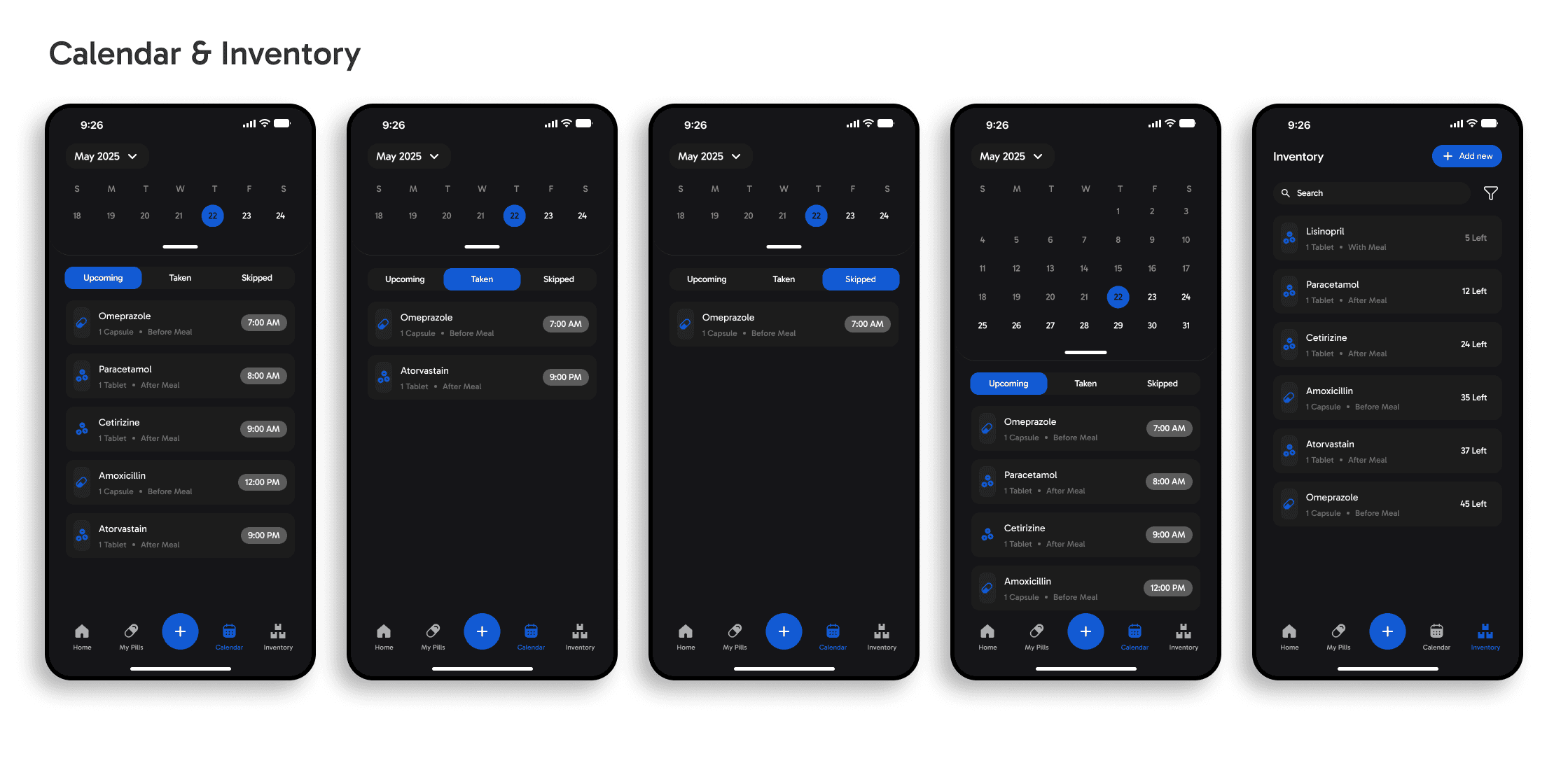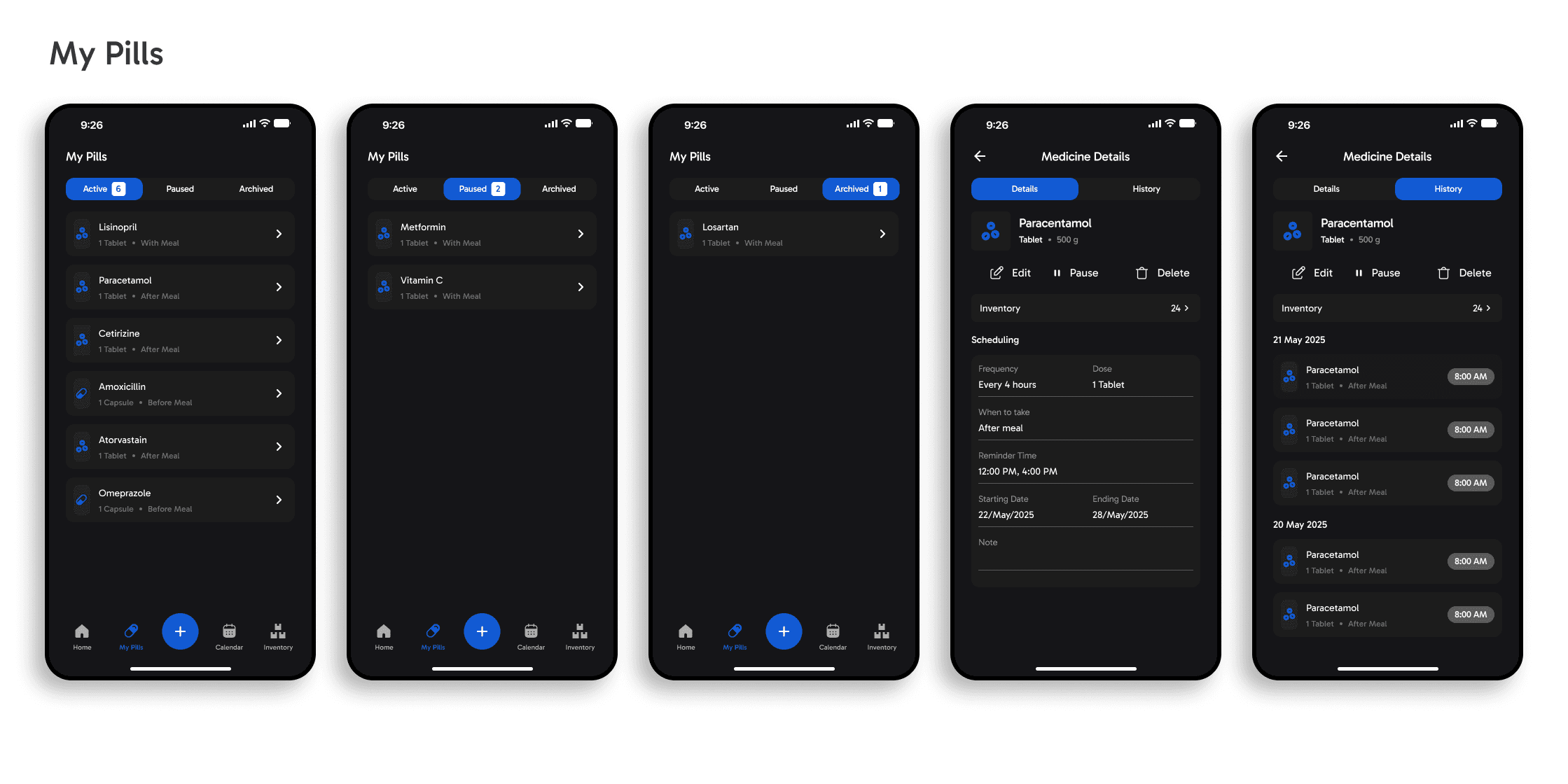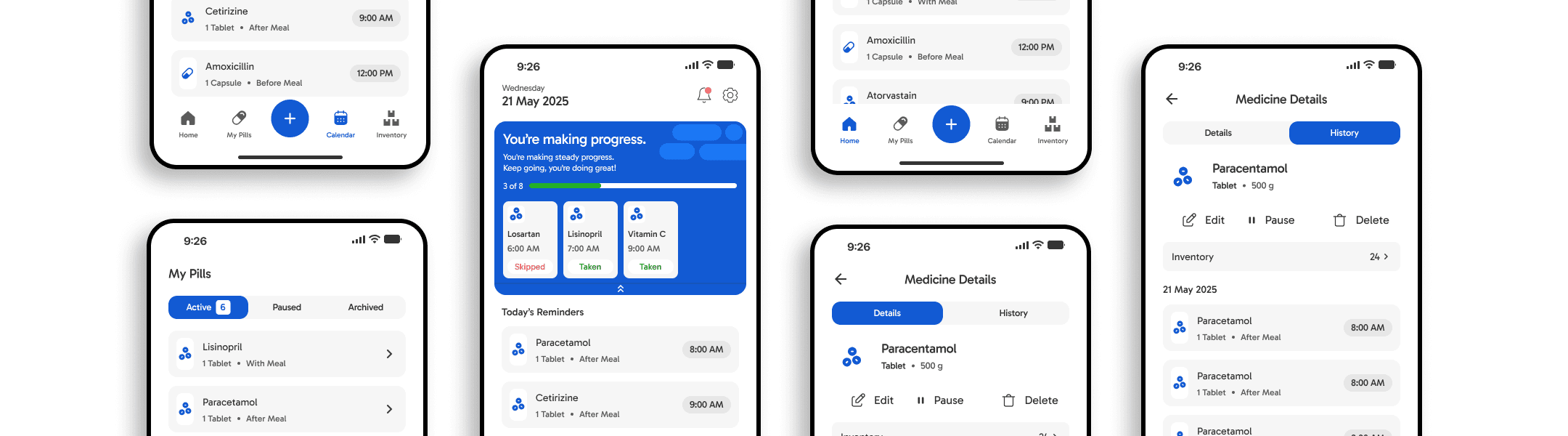
Pillmate: Medication Reminder Application
Managing multiple medications is harder than it sounds. People forget doses, lose track of remaining pills, and often don't realize they've run out until it's too late. PillMate was designed to remove that cognitive load giving users a simple, reliable system to stay on top of their health without the stress.
Timeline
2 Weeks, 2025
Role
UX Designer, UI Designer, Researcher
Used Tools
Figma, Notion
Leveraged Skills
User Research, Usability Testing, Wireframing, Prototyping
Core Problems
Through research, I found that most medication apps are built around reminders — but reminders alone don't solve the full problem. Users still had to manually log pills, had no visibility into their remaining supply, and regularly missed refills. The real problem wasn't forgetting to take medication. It was a lack of a system that could keep up with them.
Research & Discovery
To make sure I was solving a real problem, I ran a survey to understand how people currently manage their medications and where the experience breaks down.
Key findings:
Most participants relied on memory or makeshift reminders like alarms and sticky notes rather than a dedicated app. Those who had tried medication apps found them either too complex to set up or too limited to stick with long-term focused on reminders, but ignoring inventory entirely.
Key insight:
The problem wasn't just forgetting to take medication. It was having no reliable way to track remaining supply and stay ahead of refills especially for those managing multiple prescriptions.
This became the foundation for every design decision in PillMate.
Solutions
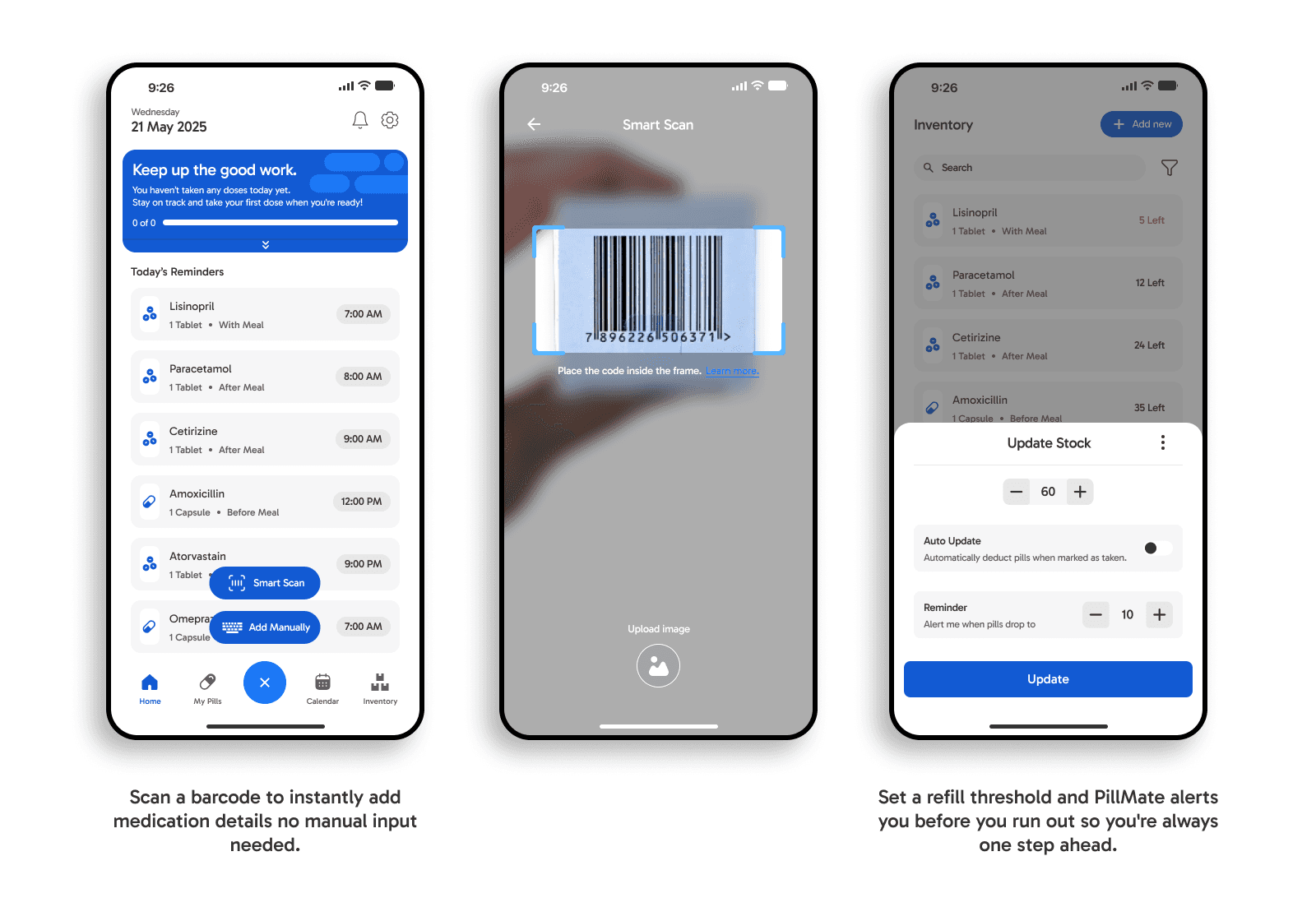
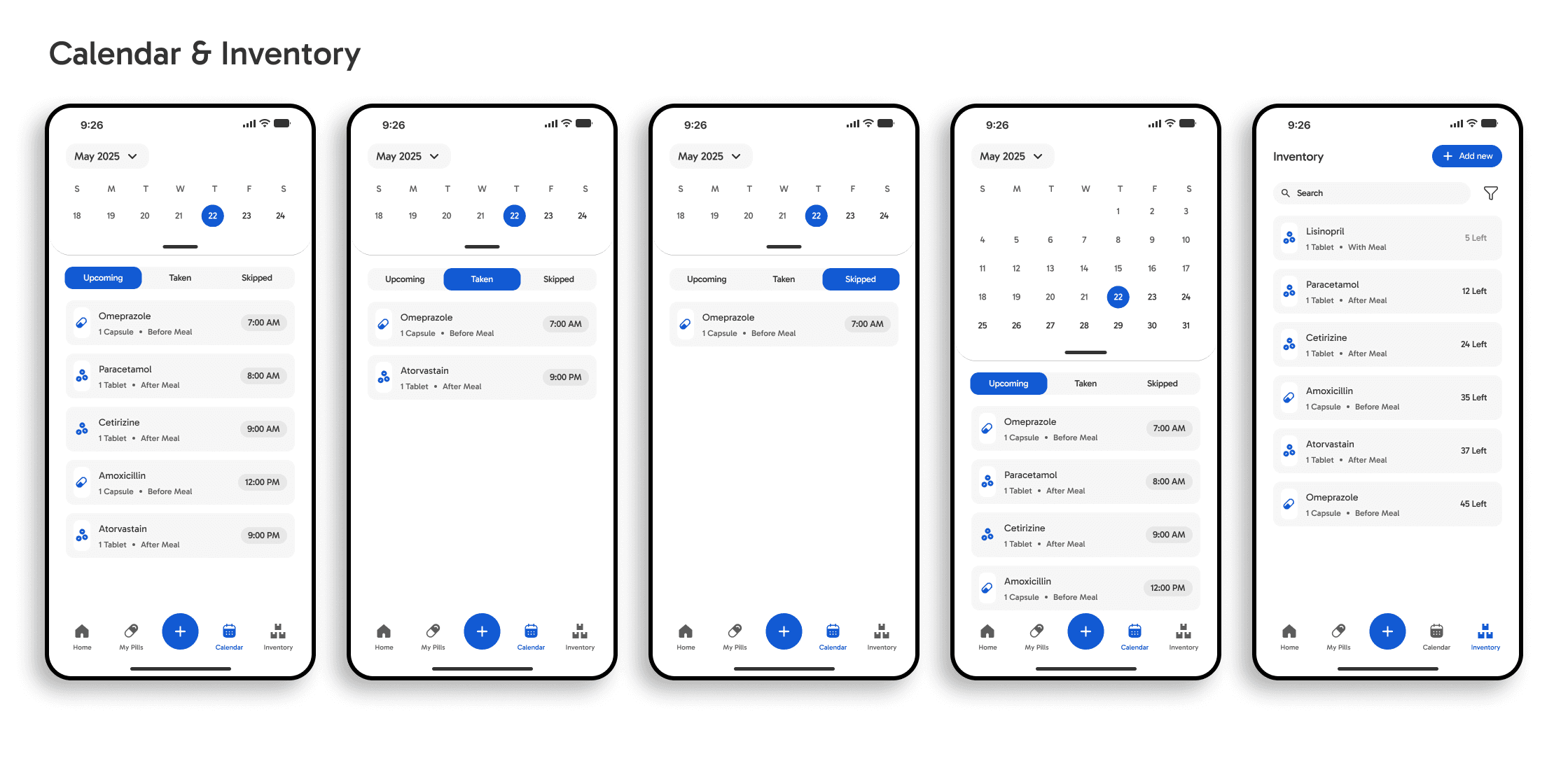
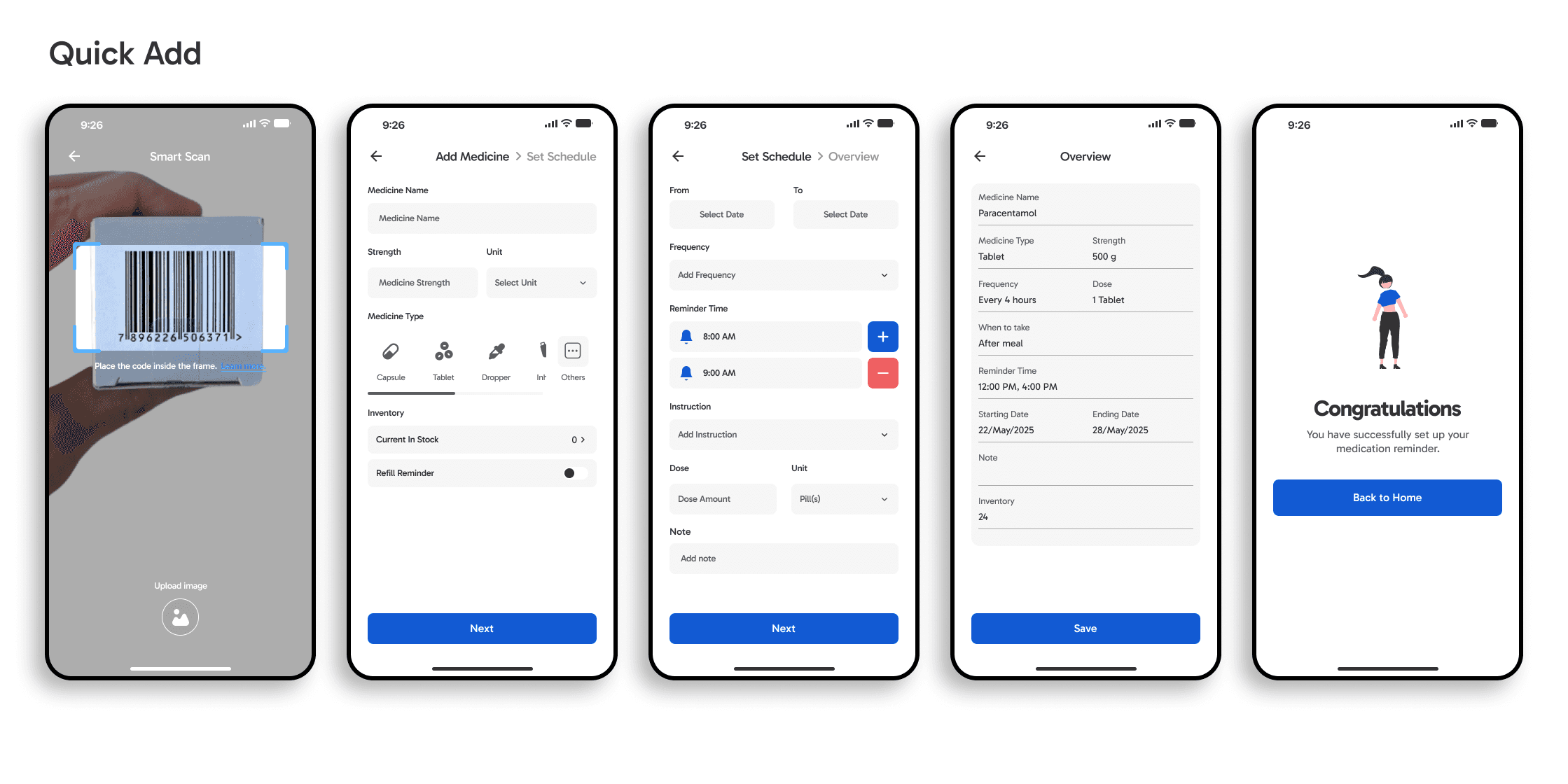
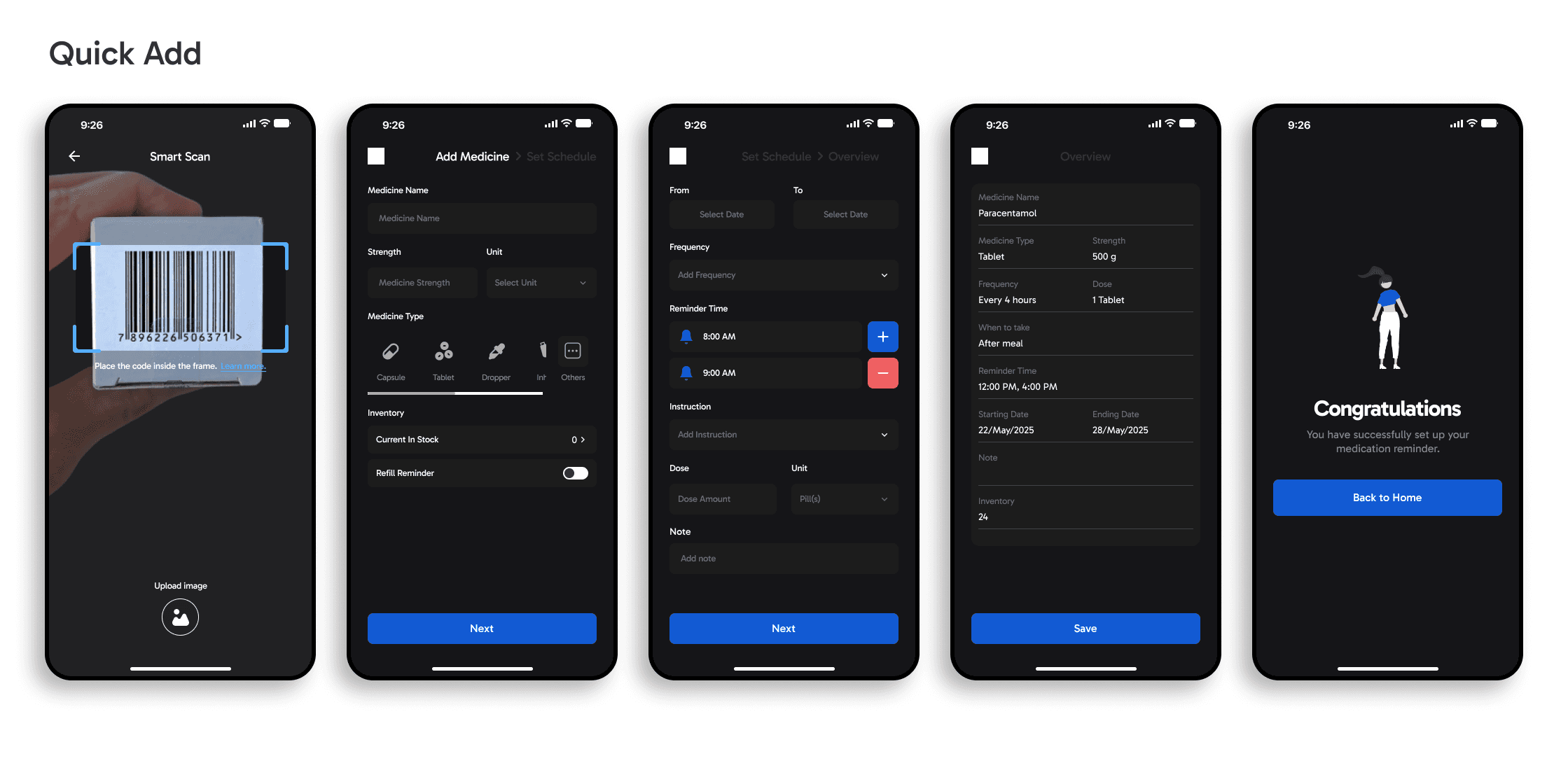
Rather than adding more features, I focused on reducing friction at every step. One-tap scheduling with repeat reminders minimizes the effort needed to set up and maintain a routine. Barcode and QR code scanning eliminates tedious manual input, cutting down the time it takes to add a new medication to seconds. Automatic inventory alerts notify users before stock runs low shifting the experience from reactive to proactive, so users are never caught off guard.
Mid-Fidelity
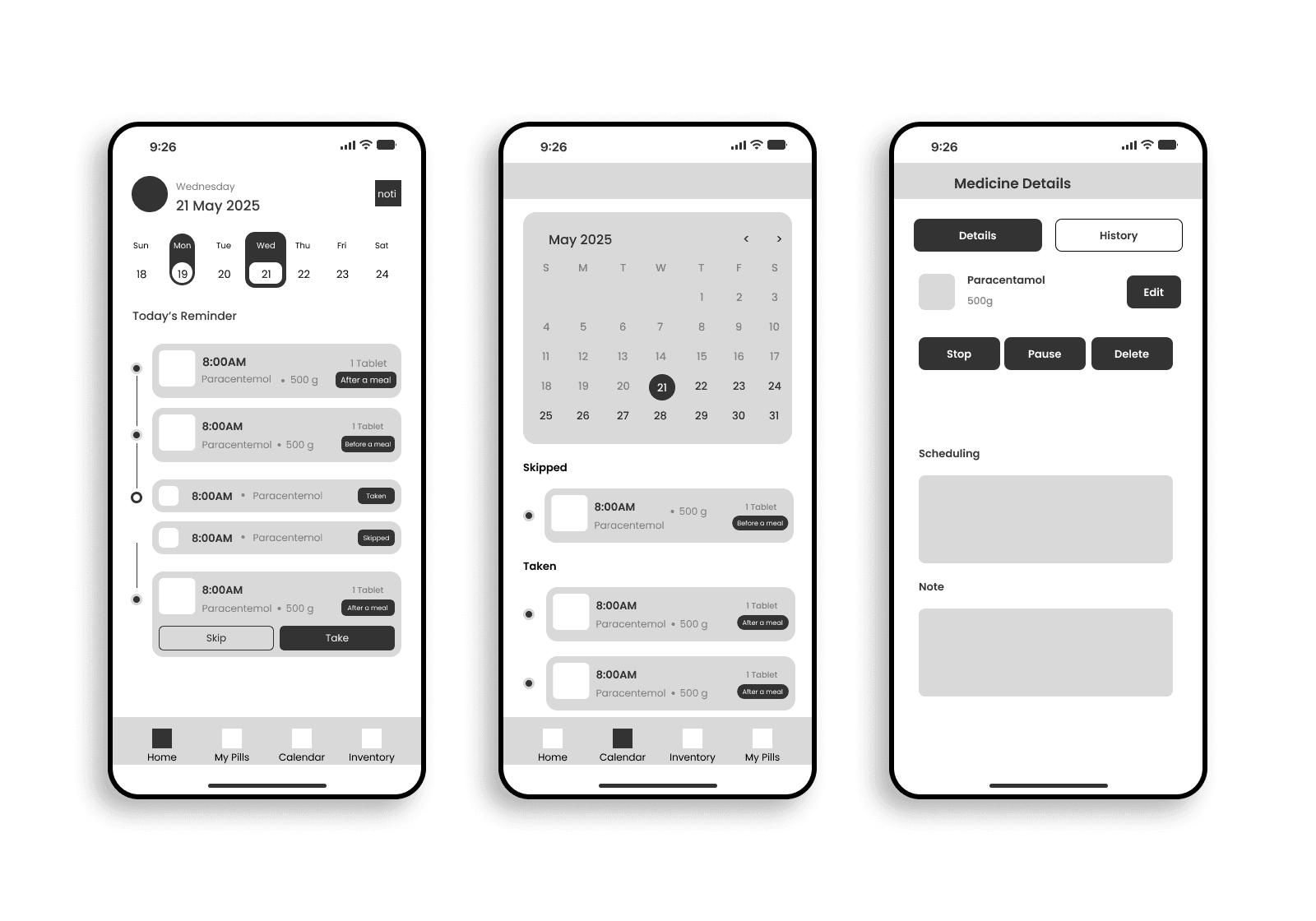
With a clear problem definition and research insights in hand, I moved into ideation. I explored multiple user flows through quick sketches before translating the strongest concepts into mid-fidelity wireframes. At this stage, the focus was entirely on structure and behavior not visual polish. I prioritized establishing a clear information hierarchy, mapping logical screen-to-screen transitions, and validating that core flows felt intuitive before any styling decisions were made.
These wireframes became the foundation for early usability testing, allowing me to gather targeted feedback on navigation and task efficiency while keeping iteration fast and low-cost.
User Flow
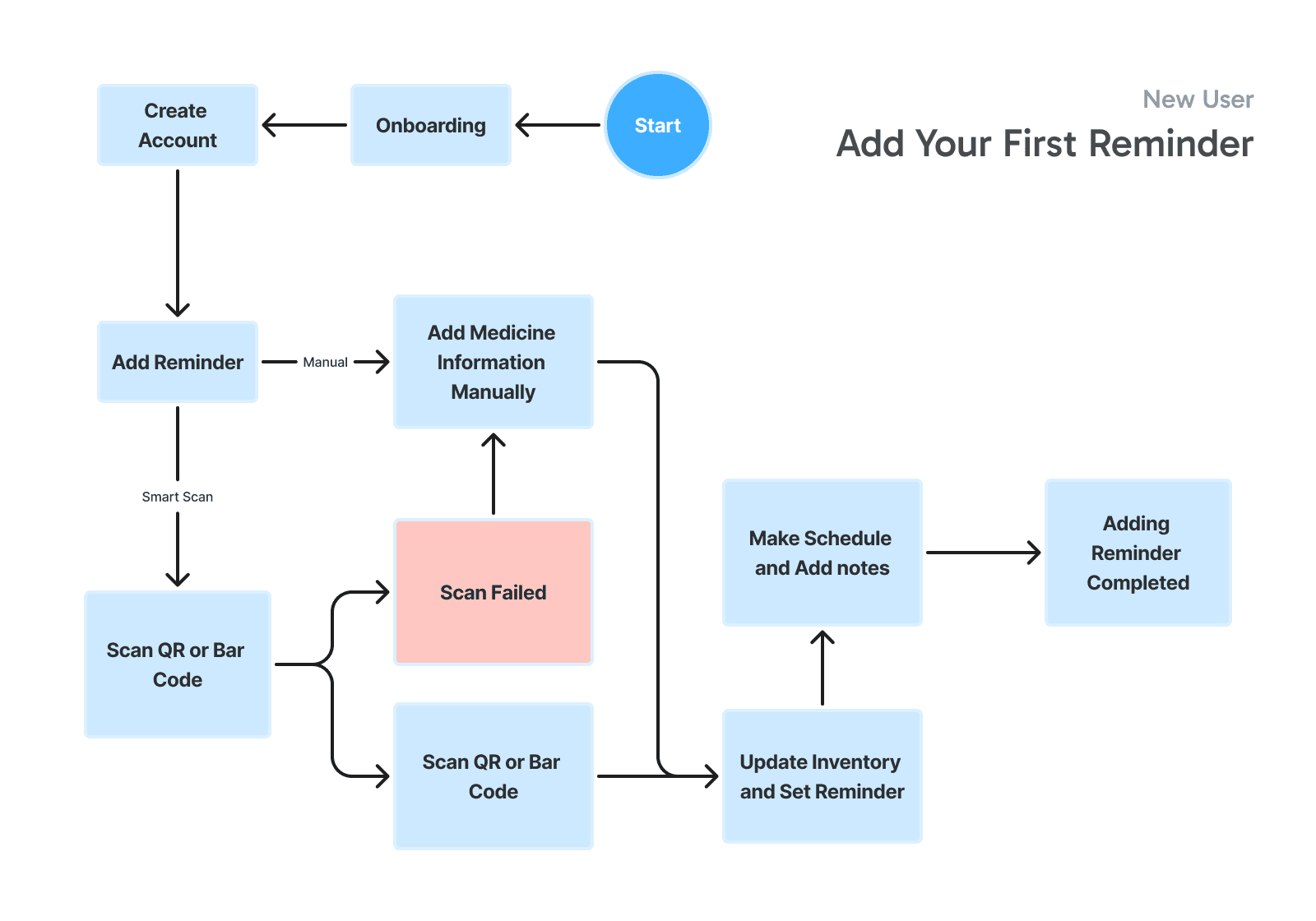
Designing the user flow was guided by one key constraint: accessibility. Many of PillMate's target users are elderly or unfamiliar with digital devices, so every decision was made to minimize unnecessary steps and cognitive effort. The goal was a flow simple enough that users could complete core tasks adding a medication, setting a reminder, checking inventory without confusion or friction, regardless of their digital literacy.
Wireframe to Visual Design
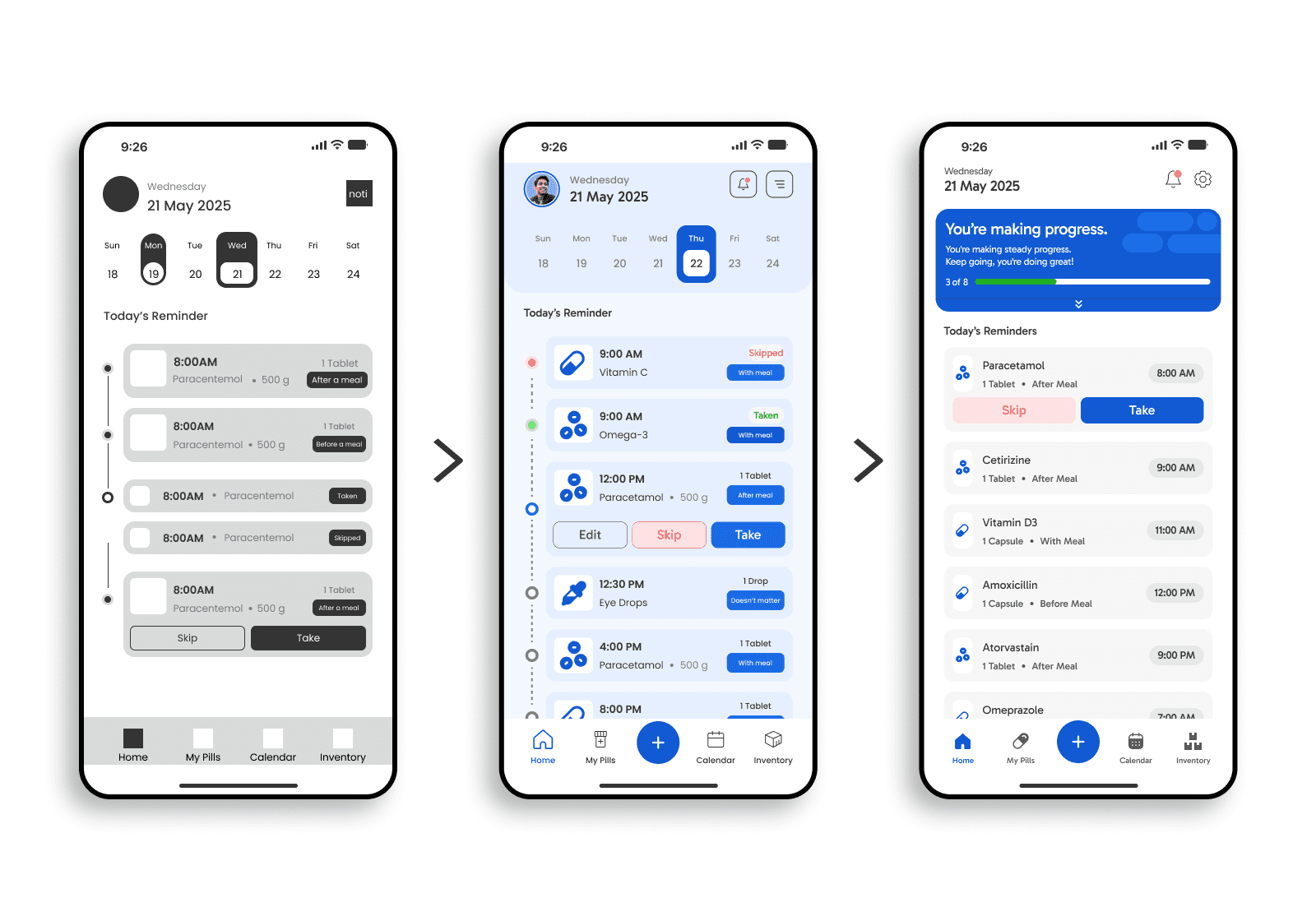
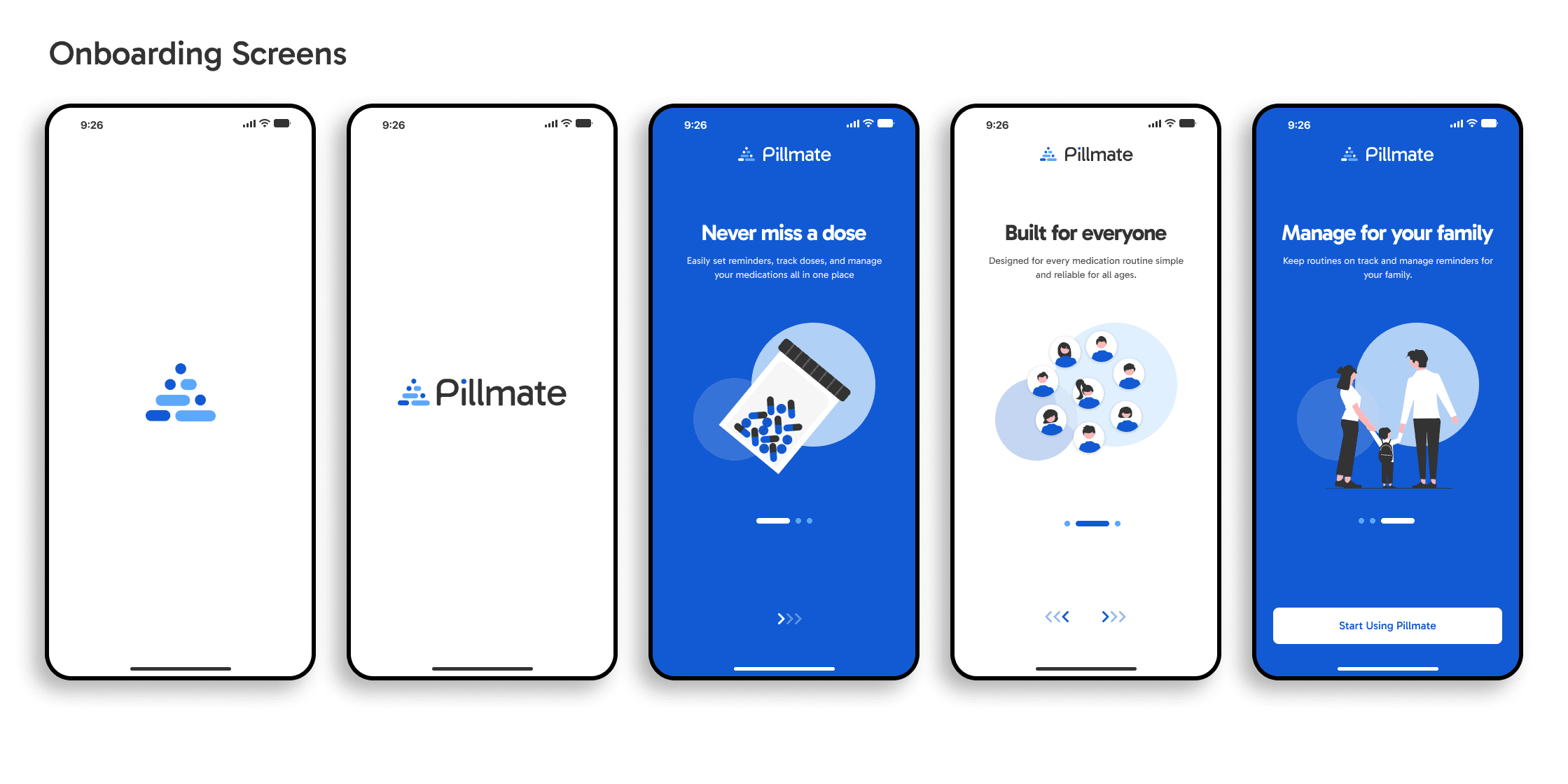
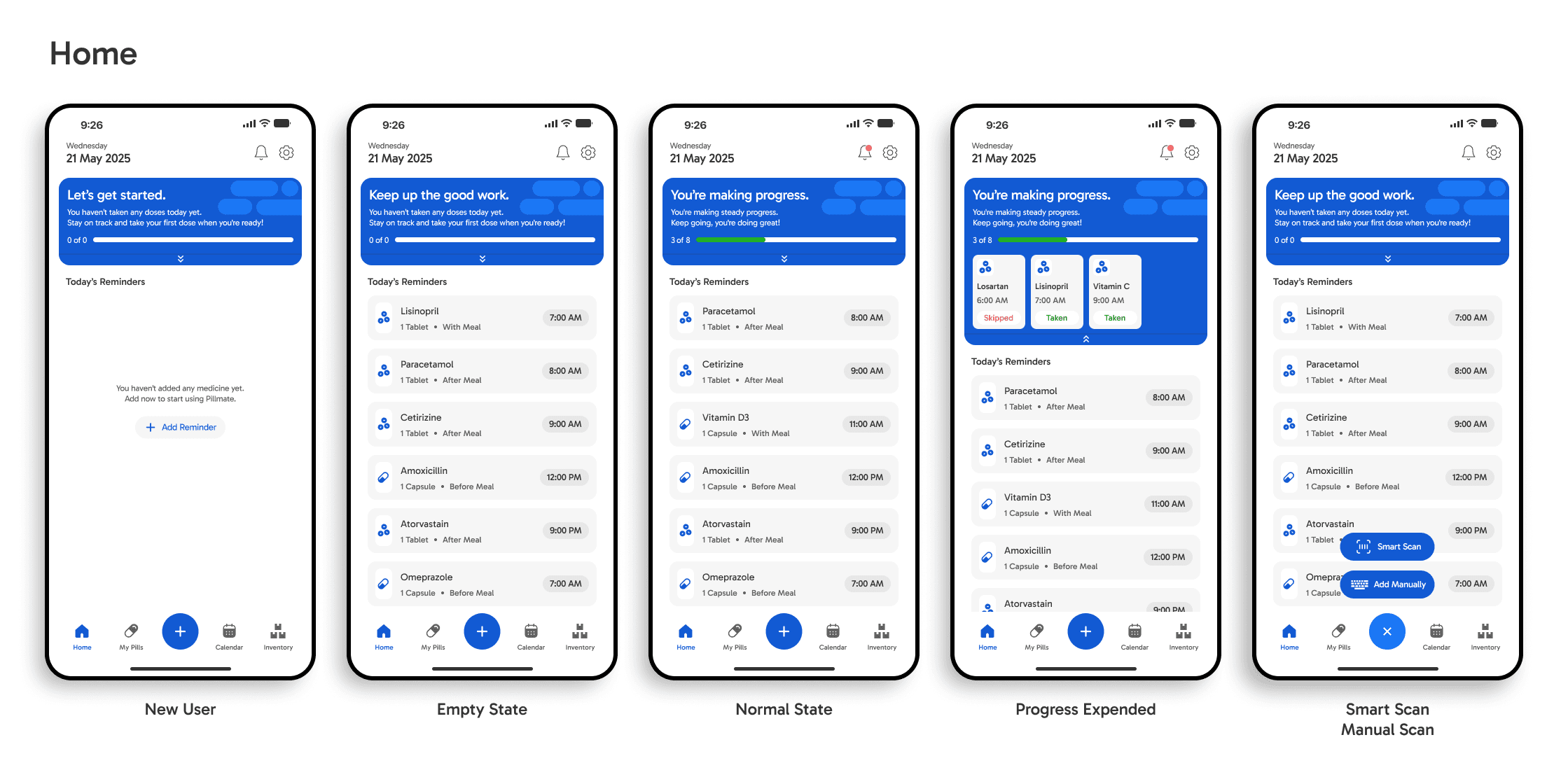
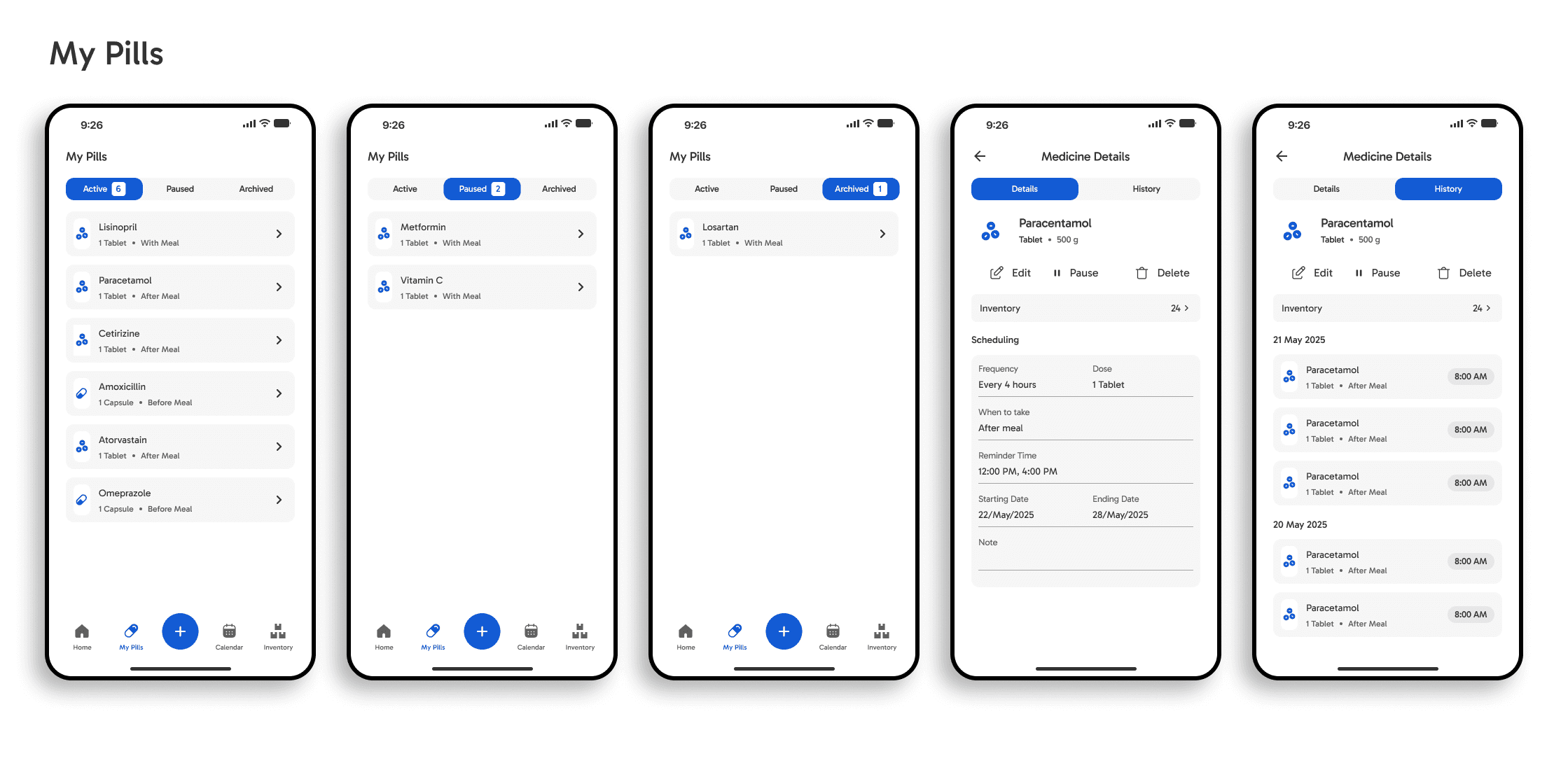
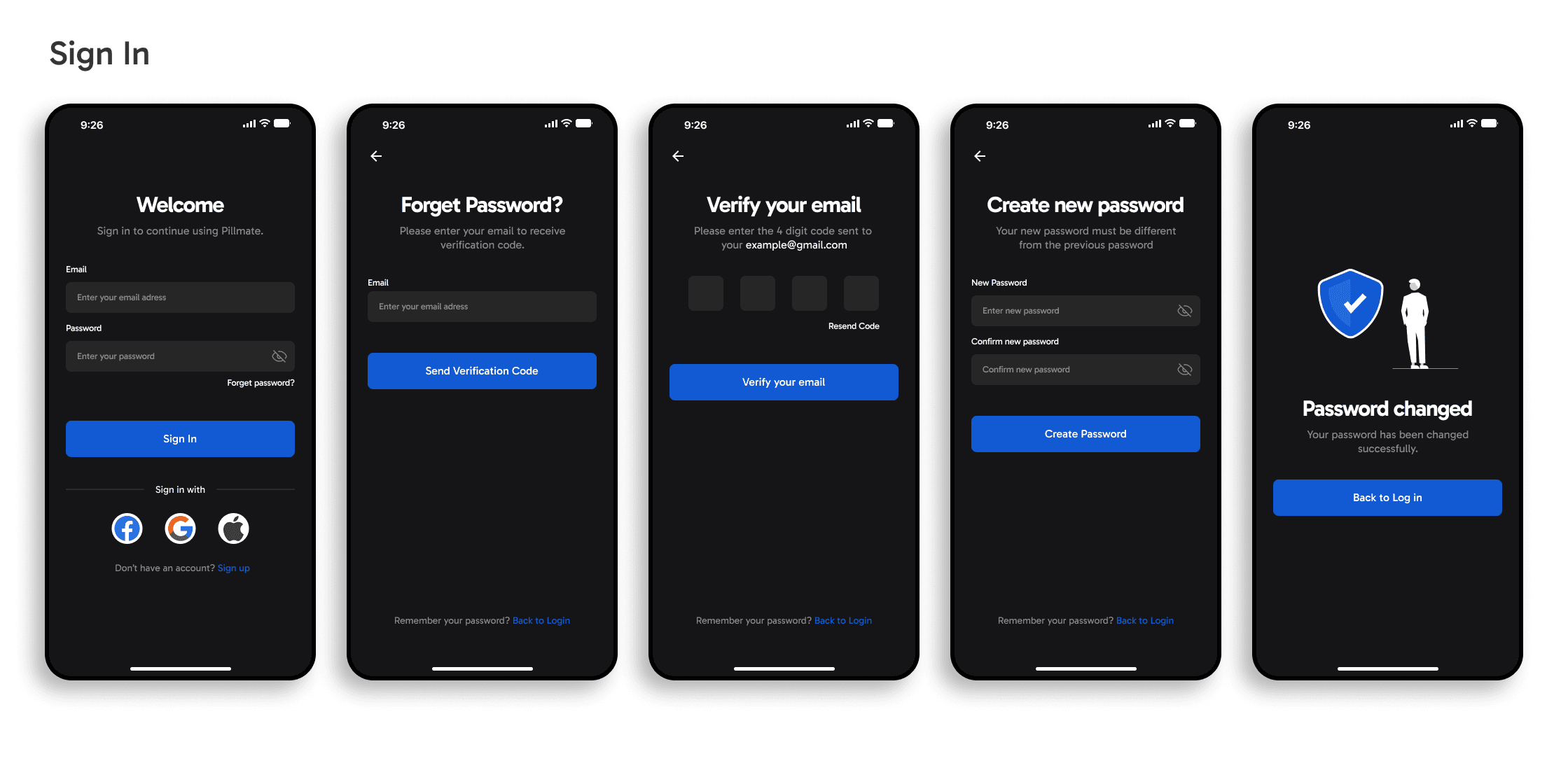
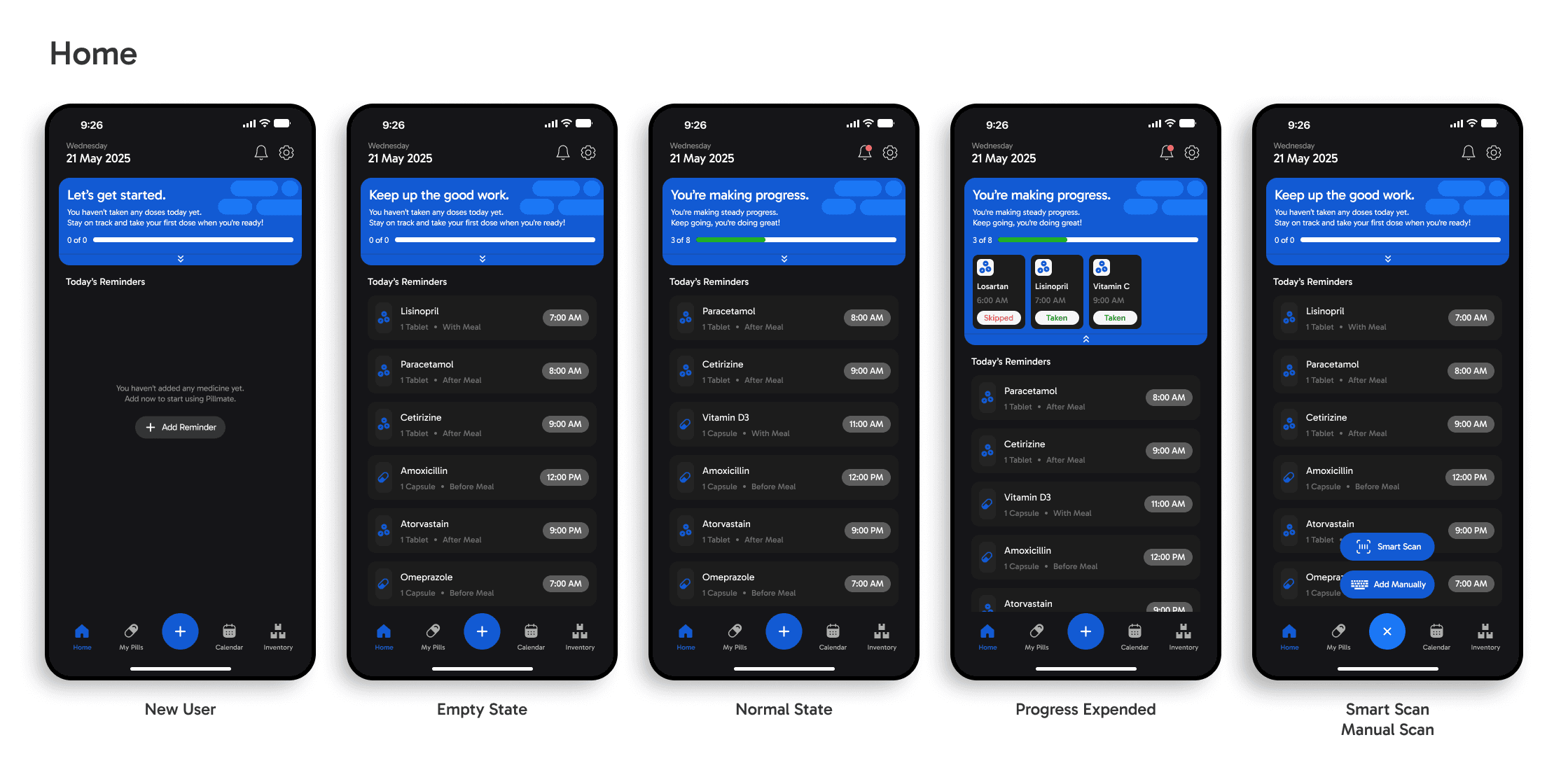
Once the structure was validated through usability testing, I transitioned into high-fidelity design. I introduced a calm, trustworthy visual language soft colors to reduce anxiety around health management, high-contrast text for legibility, generous spacing, and oversized touch targets to support older users with limited dexterity. Subtle micro-animations provided feedback and orientation without overwhelming the experience. Every visual decision was grounded in the usability insights gathered earlier, ensuring the final design felt not just polished, but genuinely easier to use.
Usability Testing Report
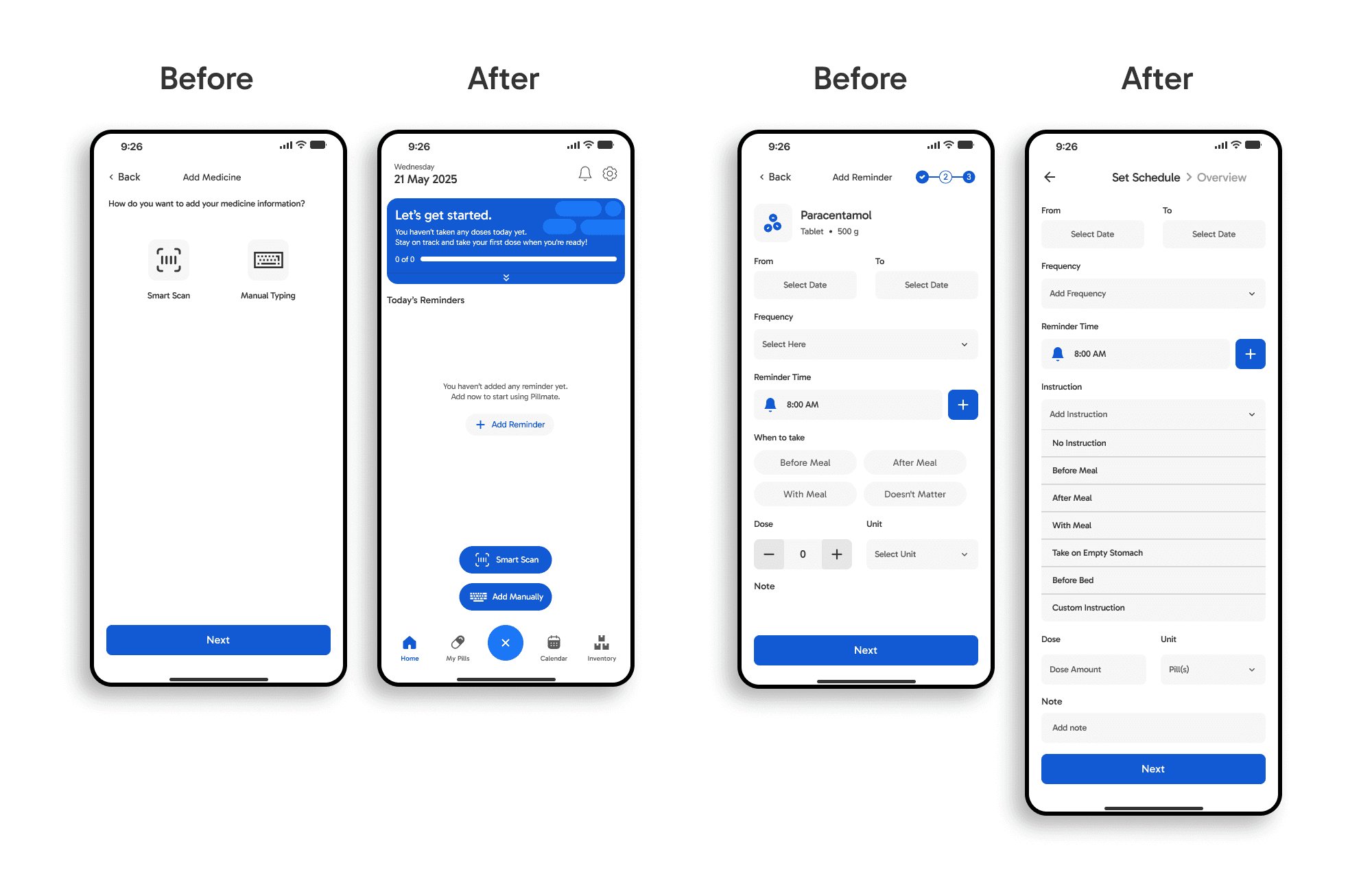
I conducted one-on-one usability testing with 7 participants across different age groups who are familiar with mobile apps to evaluate how intuitively users could set up a medication reminder. The sessions revealed two key friction points that led to significant design changes.
Finding 1: The input method selection screen added unnecessary friction
Users were presented with a dedicated screen asking them to choose between Smart Scan or Manual Typing before proceeding. During testing, 71% of the participants hesitated at this step it felt like an extra decision before they'd even started. Older participants in particular found it confusing, unsure of what each option meant.
Change: I removed the dedicated selection screen entirely and moved both options into the home screen as quick-add buttons. This eliminated a full screen from the flow and let users take action immediately without an upfront decision.
Finding 2: The reminder detail form felt overwhelming
The original Add Reminder screen presented all fields at once date range, frequency, reminder time, meal instruction, dose, and notes on a single scrollable page. 85% of the participants missed fields or felt unsure where to start, and younger users pointed out that "Select Here" as a frequency placeholder gave no guidance on what to expect.
Change: I restructured the form with clearer labels, replaced vague placeholder text with descriptive options, and introduced a progress indicator at the top so users always knew where they were in the setup process. The instruction field was expanded into a visible dropdown with pre-set options like Before Meal, After Meal, and Before Bed reducing guesswork and manual input.